highlight · part ii · 4

The assistant can guess what you left unsaid.
It labels every guess.

Data Mint writes your first codebook in four steps, and you decide how much it may read into what you said.


1

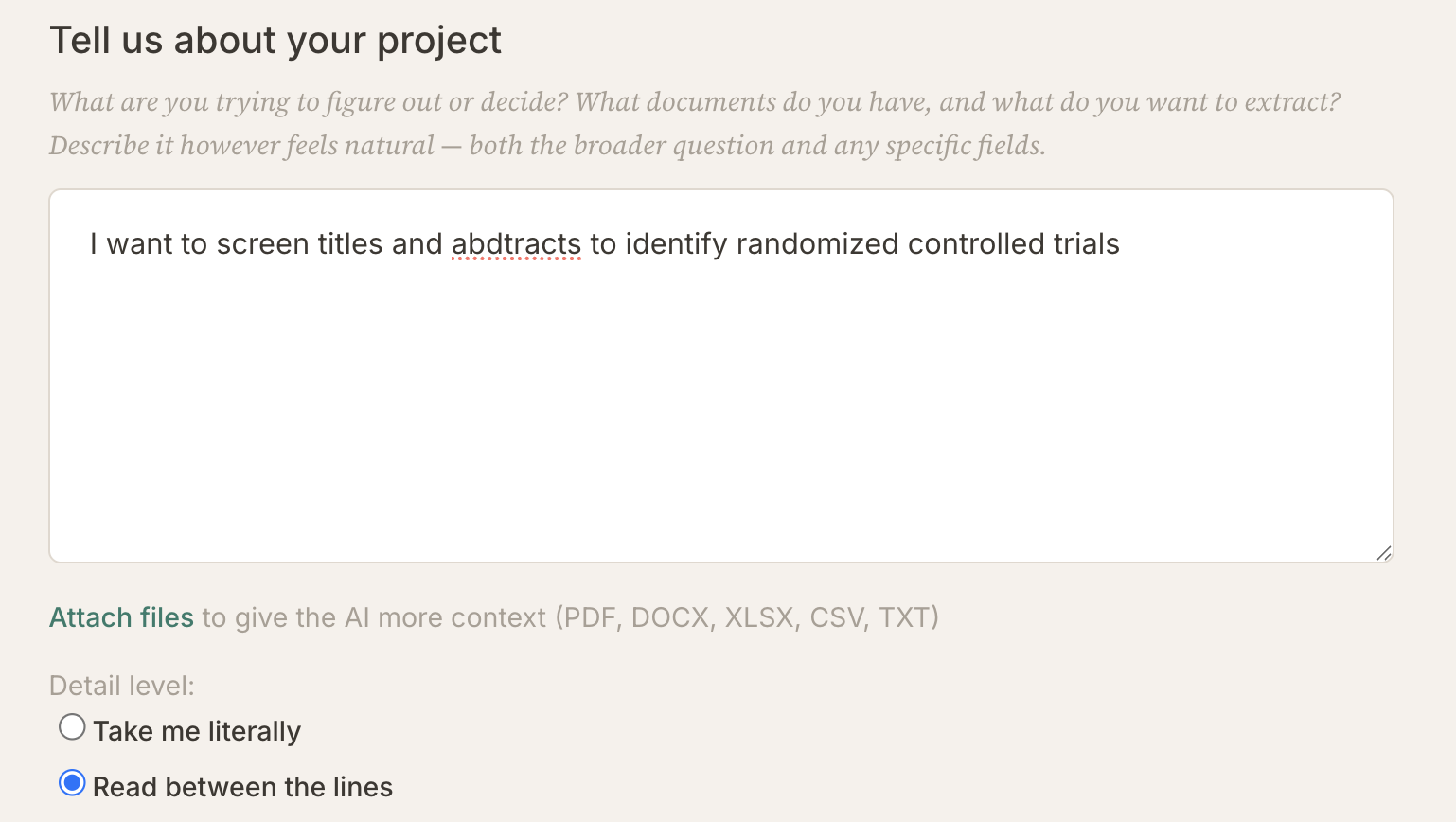
Tell us about your project.

a sentence or two is enough to start

attach what you already have

  • a codebook from an earlier project
  • a draft of the one you want
  • an example document or two
  • training materials, a coding manual, anything you would hand a new assistant

detail level Take me literally Read between the lines

2

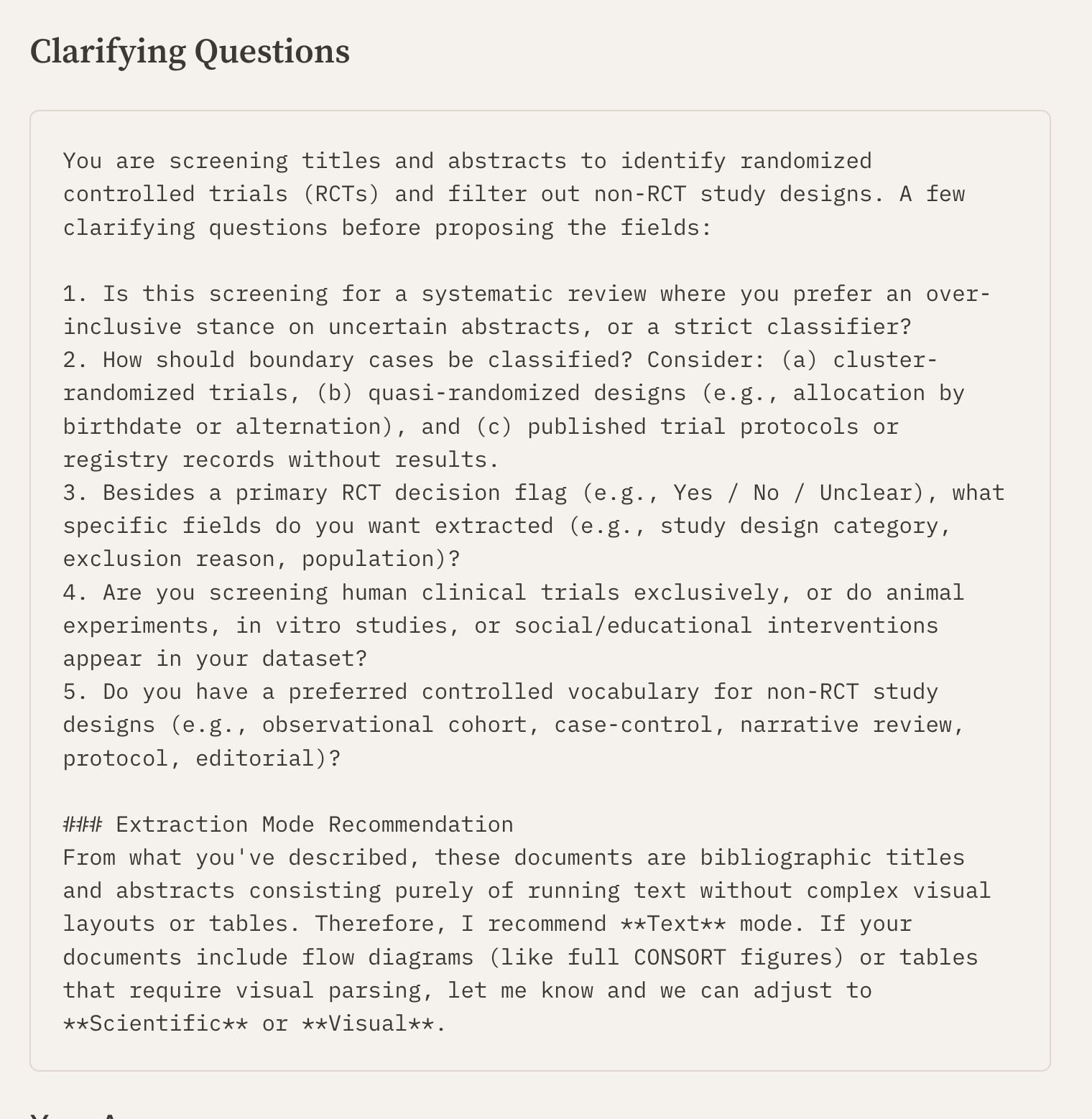
Clarifying questions.

it asks four or five, you answer in one box

3

Proposed fields.

one tag and one line per column, not the full text

4

Your codebook.

written out in full: 6 items, 5 hints

Whatever the assistant read between the lines is tagged Hints, so you can audit it field by field.

@karlrohe

Data Mint writes your first codebook in a four-step conversation. You bring whatever you already have. Documents. An old codebook. A draft of the one you want. A finished codebook that is simply not in Data Mint's format. Upload it or paste it in. All of it is useful.

The Tell us about your project screen: one textarea holding the sentence I want to screen titles and abstracts to identify randomized controlled trials, an Attach files link, and a Detail level pair of radio buttons.
Step 1, from a real run. One box, one sentence, an attach link, and the detail level. The sentence typed here was seventy characters long. The setting under it is the whole of what you decide before the assistant writes anything.
  1. Bring your material. Upload documents, paste text, and describe the data you want.
  2. Answer four or five clarifying questions. The assistant asks for what it is missing.
  3. Review the skeleton. It proposes a tag and a phrase per question, not the full text.
  4. Say go. It writes the codebook out in full.
The Clarifying Questions screen: five numbered questions about screening stance, boundary cases, wanted fields, human versus animal studies, and preferred vocabulary, followed by an extraction mode recommendation.
Step 2, same run. Five questions, then a note recommending Text mode over Scientific or Visual. Questions two and four are the ones that matter here. They ask about cluster randomization and about animal studies, two boundaries the one-sentence description never touched.
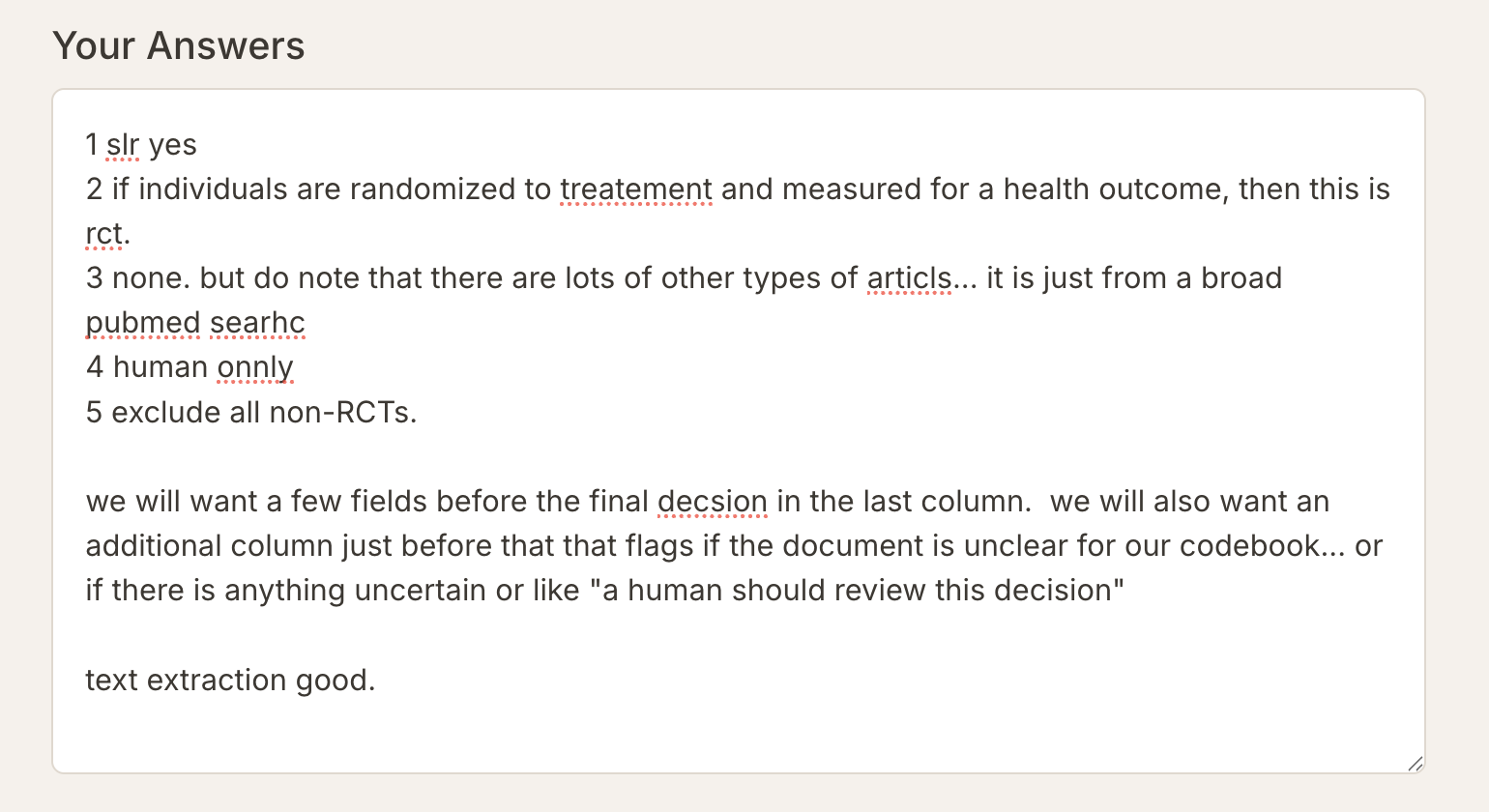
The Your Answers box, filled in: five short numbered replies with typos, then a paragraph asking for evidence fields before the final decision and a column that flags records needing human review.
The answer box below those questions, filled in. Five short replies, typos and all, then a paragraph asking for two things the questions did not offer. Evidence fields before the final decision, and a column that flags anything a human should review. That paragraph is where the codebook actually got its shape.

The skeleton is the cheap place to argue. A tag and a phrase per question is short enough to read in a minute, and short enough to rearrange. Changing the shape of the codebook here costs one sentence. Changing it after the full text is written means editing every field the change touches. So this is the step where I split a double question, ask for a scaffolding question ahead of a hard one, and add what I forgot to say in step 1. Go around as many times as you want.

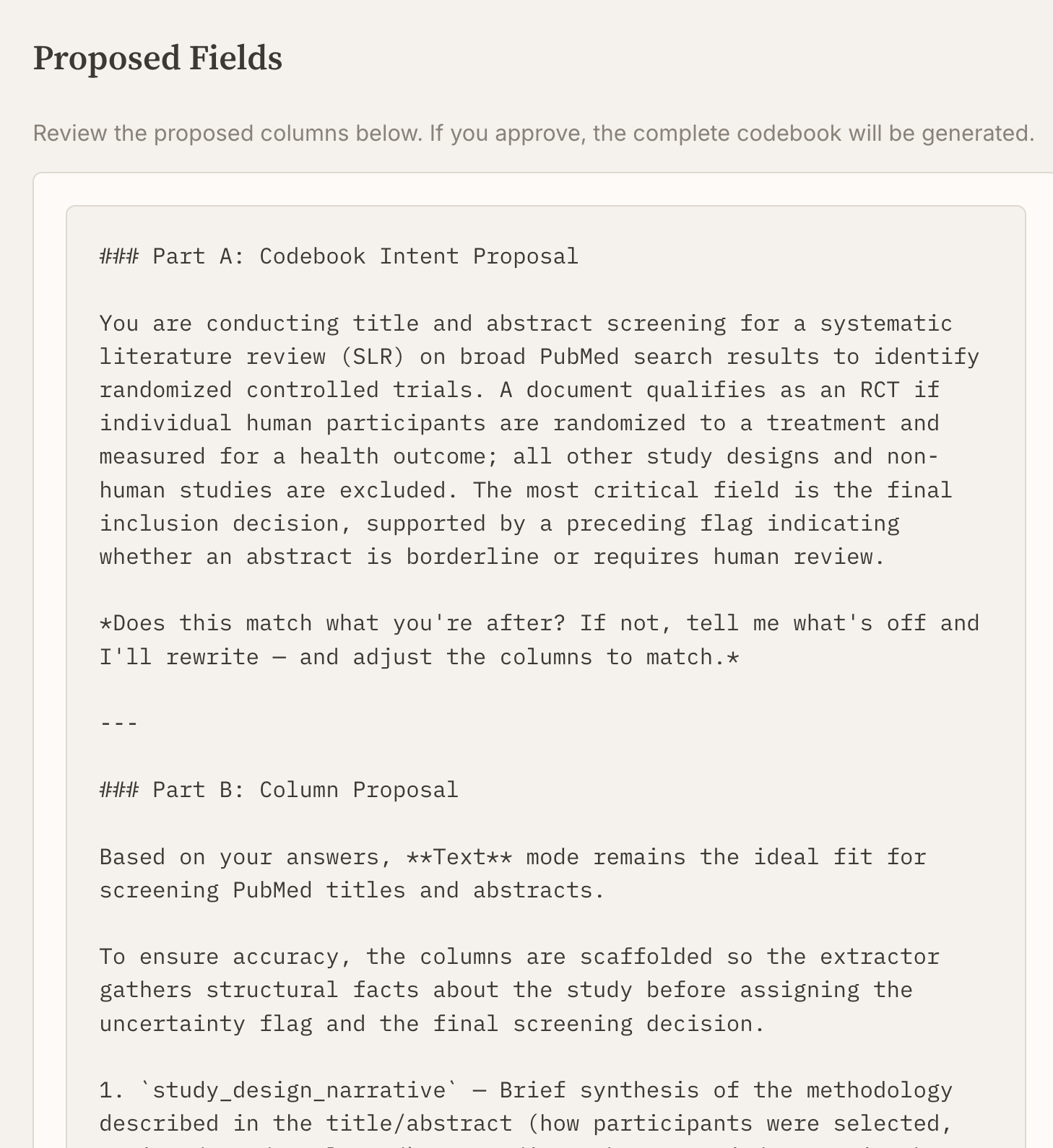
The Proposed Fields screen: Part A restates the screening task in one paragraph and asks whether it matches, then Part B lists the columns with one line each.
Step 3, the skeleton. Part A restates the job in one paragraph and asks whether it is right. Part B lists six columns with a line each. The whole screen is shorter than one field of the finished codebook, which is why this is the cheap place to argue.
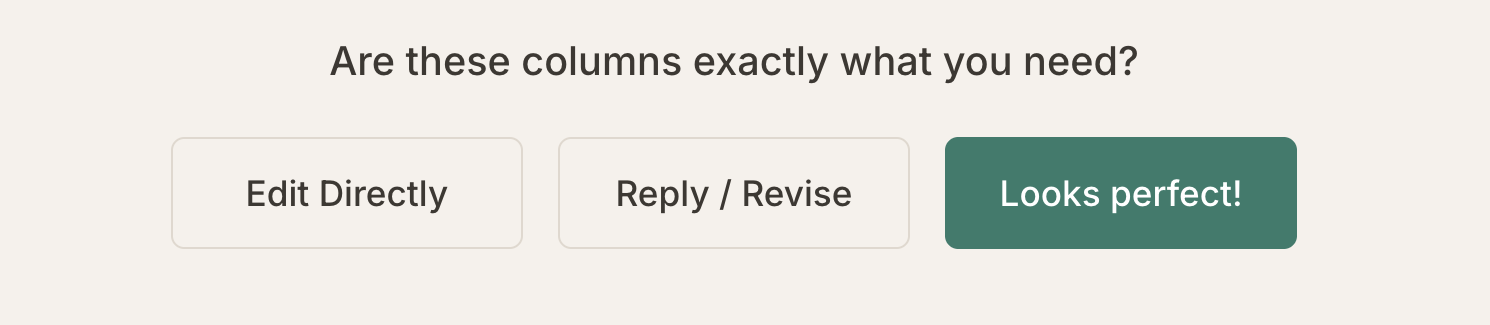
Three buttons under the proposed columns: Edit Directly, Reply / Revise, and Looks perfect!
The three doors out of step 3. Edit Directly hands you the text. Reply / Revise sends it back with a note and returns a new skeleton. Looks perfect! moves to step 4. The middle one is the loop, and it has no limit.

The other thing you settle in step 1 is how much the assistant may read into what you said. Two postures. Take me literally writes down what you said and stops there. Read between the lines also fills in what your instructions imply. The second is faster. The first protects validity, because a rule you never settled is not your rule. Underspecification is an instrument, not a defect. Leave an item thin and the ambiguity surfaces as disagreement between readers, where you can see it and decide whether it deserves a policy or stays a residual.

A hint is instruction with its authorship attached. Every sentence the assistant is about to write lands in one of three places. What traces to something you said goes in the Description. What it read between the lines goes in a Hints tag, inside the field it belongs to. What it invented goes nowhere: the prompt forbids writing hypothetical edge cases into a description. So hints are not a staging area. Readers see them at mint time like any other tag. Keeping them in their own tag is what lets you audit them one at a time and cut the ones you disagree with.

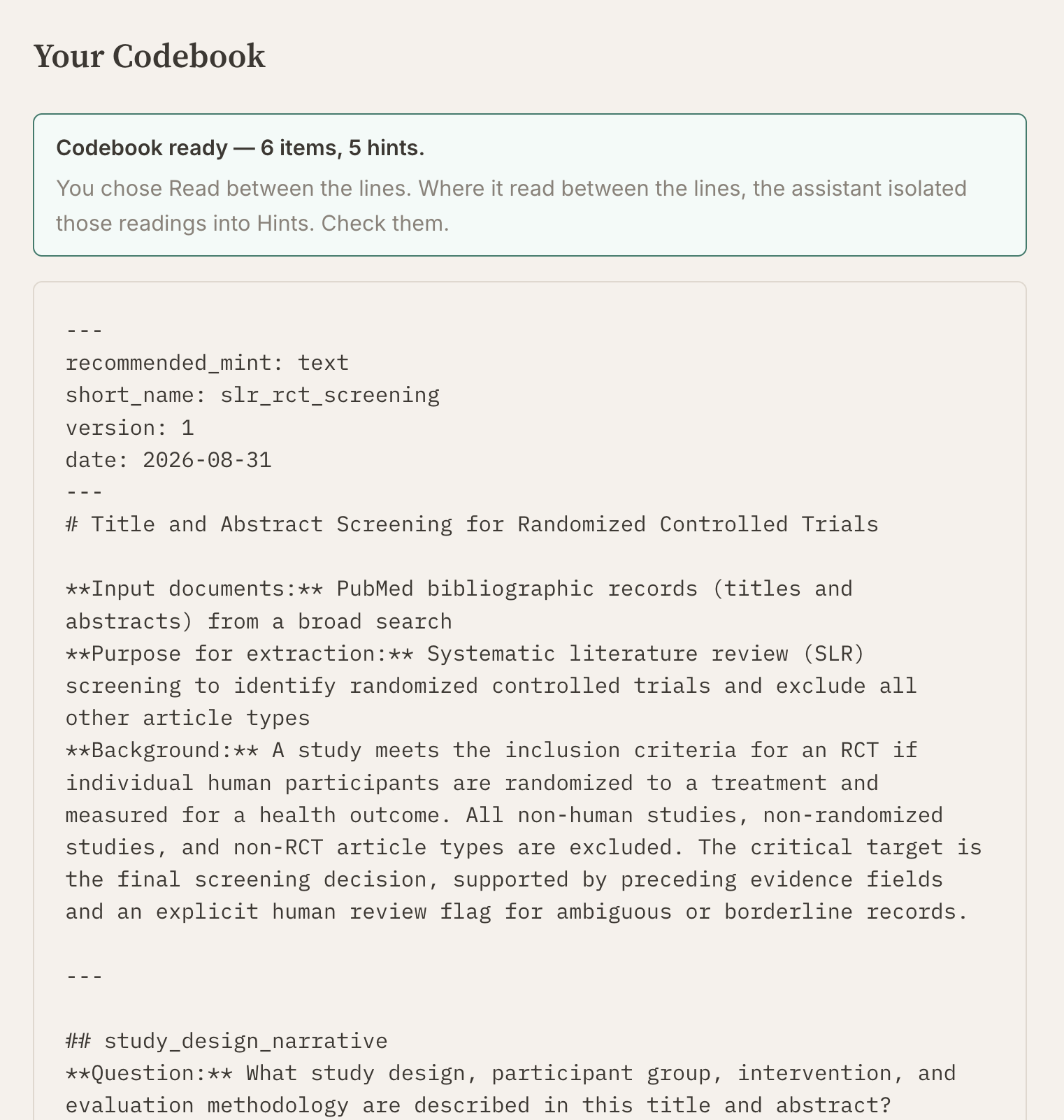
The Your Codebook screen: a banner reading Codebook ready, 6 items, 5 hints, with a note that the assistant isolated its readings into Hints, above the codebook as plain text.
Step 4, the output. The banner counts the fields and counts the hints separately. Below it the codebook is plain text, frontmatter first, then one section per field. Five hints across six fields is the number to look at. It is how much of this codebook the assistant wrote rather than transcribed.

definitions

posture — how literally the codebook assistant takes your instructions. The screen calls it Detail level. You pick Take me literally or Read between the lines in step 1, before it writes anything.

hint — a line the assistant wrote to answer a question your own description raised. Tagged Hints so you can find it. Examples stays your material only.

Nothing here is settled until you have read it. The tags tell you who wrote each line. They do not tell you which lines you agree with. A hint you never opened is still in the codebook when the readers run. What you have at the end of the conversation is a draft with its authorship marked. The deciding starts when readers disagree.
The proposal, step 3

verbatim · slr_rct_screening
### Part A: Codebook Intent Proposal

You are conducting title and abstract screening for a systematic literature review (SLR) on broad PubMed search results to identify randomized controlled trials. A document qualifies as an RCT if individual human participants are randomized to a treatment and measured for a health outcome; all other study designs and non-human studies are excluded. The most critical field is the final inclusion decision, supported by a preceding flag indicating whether an abstract is borderline or requires human review.

*Does this match what you're after? If not, tell me what's off and I'll rewrite — and adjust the columns to match.*

---

### Part B: Column Proposal

Based on your answers, **Text** mode remains the ideal fit for screening PubMed titles and abstracts.

To ensure accuracy, the columns are scaffolded so the extractor gathers structural facts about the study before assigning the uncertainty flag and the final screening decision.

1. `study_design_narrative` — Brief synthesis of the methodology described in the title/abstract (how participants were selected, assigned, and evaluated), grounding subsequent judgments in the text.
2. `is_human_population` — Identifies whether the study involves human participants (vs. animal models, in vitro/laboratory assays, or non-human data).
3. `is_individual_randomized` — Determines whether individual participants were allocated to treatment/control groups using a randomized mechanism.
4. `evaluates_health_outcome` — Checks whether the study measures a clinical, physiological, psychological, or other health outcome resulting from the intervention.
5. `requires_human_review` — Uncertainty checkpoint flagging records where the abstract is ambiguous, incomplete, or borderline, signalling that a human screener should inspect the full text.
6. `rct_screening_decision` — Final screening verdict ("Include" [RCT], "Exclude" [Non-RCT], or "Unclear / Needs Review") based on individual human randomization and health outcome measurement.

The codebook, step 4

verbatim · 6 items, 5 hints
---
recommended_mint: text
short_name: slr_rct_screening
version: 1
date: 2026-08-31
---
# Title and Abstract Screening for Randomized Controlled Trials

**Input documents:** PubMed bibliographic records (titles and abstracts) from a broad search
**Purpose for extraction:** Systematic literature review (SLR) screening to identify randomized controlled trials and exclude all other article types
**Background:** A study meets the inclusion criteria for an RCT if individual human participants are randomized to a treatment and measured for a health outcome. All non-human studies, non-randomized studies, and non-RCT article types are excluded. The critical target is the final screening decision, supported by preceding evidence fields and an explicit human review flag for ambiguous or borderline records.

---

## study_design_narrative
**Question:** What study design, participant group, intervention, and evaluation methodology are described in this title and abstract?
**Description:** Synthesize how participants were allocated to groups, what intervention or treatment was administered, and what outcomes were evaluated, often found in the title, background, methods, and results sections of the abstract.
**Hints:**
- Trial registry records, published protocols, conference abstracts, and secondary analyses of existing trials should be noted as such in this summary.
**Default if missing:** "Not reported"

---

## is_human_population
**Question:** Does this study investigate human participants? Answer "Yes", "No", or "Unclear".
**Description:** Determine whether the study population consists of human participants, as only human studies are eligible. Look for participant characteristics, sample demographics, or clinical setting descriptions in the title or abstract methods.
**Hints:**
- Animal models (e.g., murine, rat, canine) and in vitro / laboratory cellular assays are "No".
- Computational simulations or non-human environmental samples are "No".
**Default if missing:** "Unclear"

---

## is_individual_randomized
**Question:** Were individual participants randomized to treatment or control arms? Answer "Yes", "No", or "Unclear".
**Description:** Determine whether individual participants were randomized to a treatment group, as described in the methodology or study design statements.
**Hints:**
- Quasi-random allocation methods (e.g., assignment by alternation, hospital number, or day of the week) count as "No", not "Yes".
- Cluster-randomized trials (allocating whole clinics, schools, or geographical regions rather than individuals) count as "No".
- If the abstract states that the trial was "randomized" but does not specify the unit of allocation, mark "Unclear" rather than "No".
**Default if missing:** "Unclear"

---

## evaluates_health_outcome
**Question:** Does the study measure a health outcome resulting from the treatment? Answer "Yes", "No", or "Unclear".
**Description:** Check whether participants were measured for a health outcome following the treatment or intervention. Look for reported endpoints, efficacy measures, symptoms, or physiological changes in the abstract's methods or results.
**Hints:**
- Purely educational, cost-effectiveness, or process-evaluation outcomes without biological, clinical, or psychological endpoints count as "No".
**Default if missing:** "Unclear"

---

## requires_human_review
**Question:** Is this record unclear, borderline, or requiring human inspection of the full text to verify RCT eligibility? Answer "Yes" or "No".
**Description:** Flag records where the title and abstract are uncertain, ambiguous, or where a human screener should review the full text to verify whether the study meets the inclusion criteria.
**Hints:**
- Trial protocols, study design papers without reported results, or abstracts missing explicit allocation details should be flagged as "Yes".
**Default if missing:** "No"

---

## rct_screening_decision
**Question:** Based on the extracted criteria, what is the screening decision for this record? Answer "Include", "Exclude", or "Unclear / Needs Review".
**Description:** Classify as "Include" if individuals are randomized to a treatment and measured for a health outcome in a human population. Exclude all non-RCTs. Use "Unclear / Needs Review" if the information is uncertain or flagged for human review.
**Default if missing:** "Unclear / Needs Review"